
Conflict Check Automation
Conflict Checks That Actually
Leave an Audit Trail
Fuzzy name matching, business entity matching, confidence scores, and a complete log of every search, every result, and every attorney decision. Built on top of the practice management platform you already use.
25+ years building softwareAWS Certified Solutions Architect24/7 monitored infrastructure
The Problem
Built-In Conflict Checks Don't Leave a Paper Trail
Most practice management platforms have some form of conflict checking. You search for a name, you see if there's a match. But there's no record that you ran the search, what results came up, or who reviewed them.
If a conflict issue surfaces months later, you have no documentation showing that a check was performed, what it found, and who cleared it. That's a problem for malpractice insurance, bar complaints, and ethical obligations.
On top of that, basic search misses things. "Jon Smith" doesn't match "John Smith." "ABC Corp" doesn't match "ABC Corporation." Exact matching catches exact strings and nothing else.
Gaps in built-in conflict checking:
No audit trail
No log of what was searched, what was found, or who reviewed the results. If challenged, you can't prove a check was done.
Exact match only
Misspellings, nicknames, and abbreviations are missed. "Robert" doesn't match "Bob." "LLC" doesn't match "L.L.C."
No entity matching
Business names with variations in suffixes, abbreviations, or trade names aren't caught by simple search.
Manual process
Someone has to remember to run the check, search each party individually, and document the results somewhere else.
How It Works
Conflict Checking That's Thorough and Documented
The system finds potential matches. The attorney makes the call. Everything is logged.
Trigger
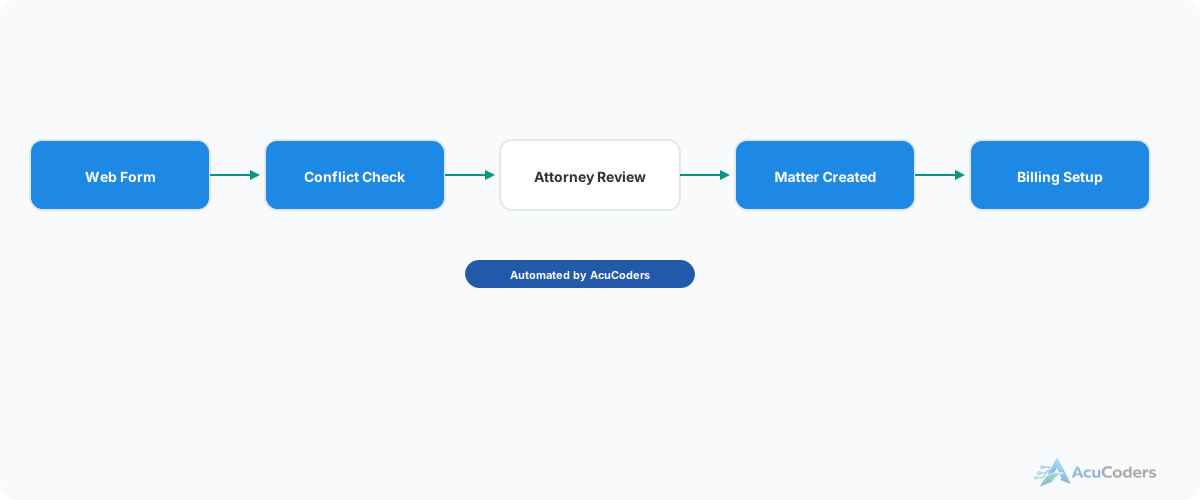
A new intake form is submitted, or an attorney requests a conflict check on demand. The system takes the client name, opposing parties, and any related entities.
Fuzzy Name Matching
Each party is searched against your entire contact and matter database using fuzzy matching algorithms. This catches misspellings, nicknames, phonetic similarities, and common variations. "Jon Smith" matches "John Smith." "Cathy" matches "Catherine."
Business Entity Matching
Business names are matched with awareness of common patterns — suffixes (LLC, Inc, Corp), abbreviations (Intl vs International), and trade name variations. "ABC Corp" matches "ABC Corporation" and "A.B.C. Corp."
Ranked Results with Confidence Scores
Potential matches are ranked by confidence score. High-confidence matches (likely the same person or entity) are flagged clearly. Lower-confidence matches are listed for review. Each result includes click-through links to the related contact and matter records.
Attorney Review
The assigned attorney receives the results and reviews each match. They can click through to the related matters to understand the context. The attorney clears or flags the conflict — the system never makes that decision.
Audit Trail
Every conflict check is logged: who requested it, what parties were searched, what matches were found, what confidence scores were returned, who reviewed the results, and what decision was made. This is your defensible record.
The Differentiator
Built-In vs Custom Conflict Checking
Here's what you get with our system that you don't get from your PM's built-in search.
Built-in conflict check:
- Searches contacts and matters by name
- Exact match or basic contains search
- No audit trail of searches or decisions
- No fuzzy matching for misspellings
- No confidence scores or ranking
- Manual — someone has to remember to run it
Custom conflict check automation:
- Fuzzy name matching catches variations and misspellings
- Business entity matching with suffix and abbreviation awareness
- Confidence scores rank matches from likely to unlikely
- Click-through links to related matters for context
- Full audit trail of every check and every decision
- Runs automatically on intake or on demand
FAQ
Common Questions About Conflict Check Automation
Still have a question? Call (713) 936-9330 or send us a note.
How is this different from Clio's built-in conflict check?
Clio's check searches but doesn't log. Our system records every search, every result, every score, and every attorney decision. You get a defensible audit trail.
What does fuzzy matching catch that exact search doesn't?
Misspellings, nicknames, phonetic matches, and business name variations. "Jon" matches "John." "ABC Corp" matches "ABC Corporation." Exact search misses all of these.
Does the system decide if there's a conflict?
No. It surfaces matches with confidence scores and links. The attorney reviews and makes the determination. The system logs the decision.
Can this run automatically during intake?
Yes. New intake triggers an automatic check. If no matches, the pipeline continues. If matches are found, it pauses for attorney review.
Which platforms does this work with?
Clio, Lawcus, PracticePanther, and other platforms with APIs. The conflict data comes from your PM system — we add the matching and audit trail.
Setup guides
Doing some of this yourself?
Does Your Conflict Check Leave an Audit Trail?
If the answer is no, let's talk about building one into your workflow.