
Service Fusion + QuickBooks
Service Fusion to QuickBooks
Should Just Work. It Doesn't.
The built-in sync creates duplicate customers, drops invoices, and fails silently. We build a reliable Service Fusion to QuickBooks integration that handles the edge cases the native sync can't.
25+ years building softwareAWS Certified Solutions Architect24/7 monitored infrastructure
The Problem
The Built-In Sync Breaks
Service Fusion has a QuickBooks integration. On paper, it syncs customers and invoices. In practice, field service companies hit the same problems over and over: duplicate customer records, invoices that never make it to QuickBooks, line items that don't map to the right accounts.
When the sync fails, it often fails silently. You don't find out until your accountant asks why last week's invoices aren't in QuickBooks. Then someone spends hours manually reconciling, creating missing invoices, and merging duplicate records.
The problem is that the native sync is built to handle simple cases. Real field service operations — with multiple job types, varying tax rules, service agreements, and high volume — need more robust data handling.
Known sync issues:
Duplicate customers
Same customer created multiple times in QuickBooks. Different name formats, missing emails, or sync retries all cause duplicates.
Missing invoices
Jobs completed in Service Fusion but the invoice never appears in QuickBooks. No error message. Just missing.
Line item mismatches
Service Fusion services don't map cleanly to QuickBooks items. Wrong accounts, wrong tax codes, wrong amounts.
Silent failures
The sync fails but nobody gets notified. You discover the gap days or weeks later during reconciliation.
What We Build
A Sync That Actually Works
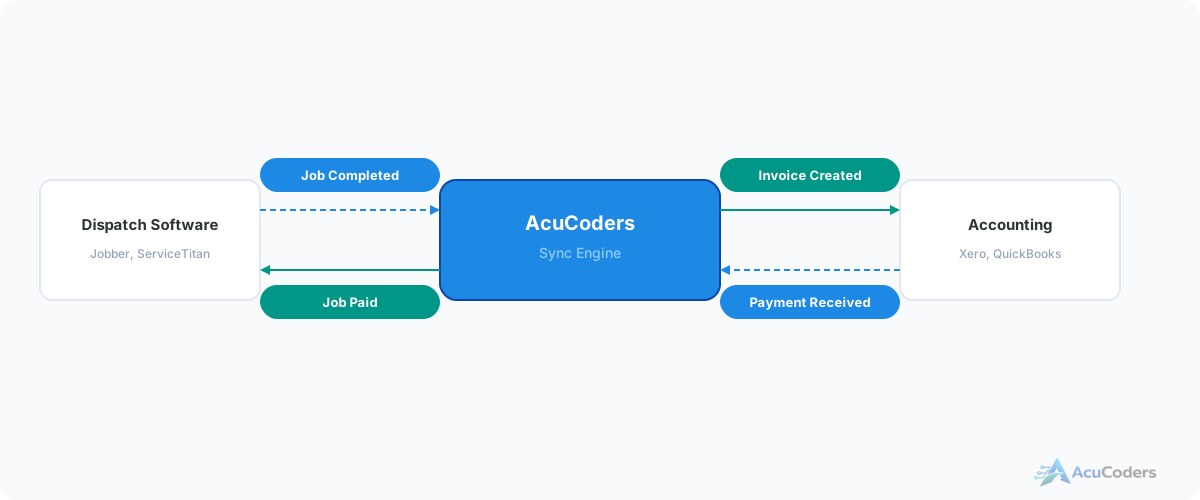
We replace or supplement the built-in sync with custom middleware that handles the edge cases properly.
Smart Matching
Intelligent customer matching that prevents duplicates. Handles name variations, missing fields, and edge cases the native sync can't.
Reliable Invoicing
Every completed job creates an invoice in QuickBooks. Line items map to the correct accounts. Nothing gets dropped.
Error Alerts
When something can't sync, you get notified immediately. No more finding out weeks later during reconciliation.
Data Cleanup
We can clean up the duplicate customers and orphaned records the old sync created before turning on the new one.
The Process
How We Fix It
Audit the Damage
We assess what the existing sync broke. Duplicate customers, missing invoices, mismatched line items — we catalog all of it.
Map the Data
We map Service Fusion services, job types, and tax rules to the correct QuickBooks accounts, items, and tax codes.
Build & Test
We build the new sync, run it against real data, and have your accountant verify the invoices before going live.
Monitor & Maintain
We host it on our infrastructure with error monitoring. When something needs attention, we handle it.
Comparison
Built-In Sync vs Custom Integration
Service Fusion built-in sync:
- Creates duplicate customer records
- Invoices fail silently
- Limited line item mapping
- No error notifications
- You troubleshoot sync issues yourself
Custom integration:
- Intelligent customer matching — no duplicates
- Every invoice syncs or you get alerted
- Proper account and item mapping
- Real-time error notifications
- We monitor, maintain, and fix issues
FAQ
Common Questions About Service Fusion + QuickBooks
Still have a question? Call (713) 936-9330 or send us a note.
What's wrong with the built-in QuickBooks sync?
Duplicate customers, missing invoices, line item mismatches, and silent failures. It works for simple cases but breaks under real-world complexity.
Do you fix the existing sync or replace it?
We typically build a separate integration with full control over data mapping, error handling, and sync logic. We can also clean up duplicate records.
QuickBooks Online or Desktop?
We integrate with QuickBooks Online, which has a proper API. Desktop is more limited and requires a local connector.
What data syncs?
Customers, invoices, line items, payments, and credit memos. Service Fusion job types map to the correct QuickBooks accounts and items.
How long does this take?
2-4 weeks for the integration. If there's significant data cleanup from a failed previous sync, add another week.
More in Field Services
Related Field Services Pages
Tired of Fixing the QuickBooks Sync?
Tell us what's breaking. We'll build an integration that handles the edge cases the native sync can't.